Quick answer: Standalone leak sensors involve placing battery-powered detectors, connecting any app and testing alerts—not altering pipes. An in-line automatic shutoff requires plumbing work on the main water supply, plus compatible power and connectivity. Retrofit valve actuators are another option, but they need a suitable existing valve and enough clearance. Compare what detects the leak, what closes the water and what still works during an outage, not just the equipment price. (customer.resideo.com)
Scope: U.S. residential installations. All prices below are in U.S. dollars and were checked November 22, 2026. Published examples are not quotations for your home.
1. Choose between an alert and an automatic response
A point-of-use sensor detects water at its contacts or connected sensing cable. For example, First Alert’s L1 can provide an audible alarm and remote notifications. By itself, however, a detector is not a water valve: receiving an alert and stopping the supply are separate functions. Resideo documents pairing compatible detectors with its L5 shutoff valve for an automatic response. (firstalert.com)
An in-line monitoring-and-shutoff device combines monitoring with a motorized valve. Moen Flo, for example, installs in the main cold-water line and analyzes water use. Its manufacturer distinguishes abnormal-flow responses from small-drip detection; a small drip does not necessarily cause an automatic shutdown. (flo.moen.com)
A retrofit actuator instead turns an existing valve. Zooz’s Titan is one example: it attaches to a compatible ball valve and can close it when its included wired probe detects water. Remote control requires a compatible Z-Wave hub. (getzooz.com)
Start your comparison with three questions:
- Do I want an alert, automatic closure, or both?
- What event actually triggers closure: water touching a probe, abnormal flow, or a configured automation?
- Who will investigate an alert if I am away?
Ask sellers to identify the exact components required for that response. A sensor, hub and shutoff bearing compatible branding should not substitute for written confirmation of the intended connection.
2. Map coverage before counting devices
For a sensor-only setup, make a placement list rather than buying an arbitrary multipack. First Alert identifies under-sink areas, washing machines, water heaters and sump pumps as possible detector locations. Its cable-equipped L1 extends detection along the sensing cable—not across an entire room simply because a detector is present. (firstalert.com)
For each location, ask:
- Where would escaping water first collect?
- Can the contacts or sensing cable reach that location?
- Can I retrieve the detector for testing and battery replacement?
- Could stored items displace it?
For an in-line valve, ask the plumber to mark which branches come before and after the proposed installation. Phyn’s installation guidance explains that plumbing downstream of its device is monitored. An upstream branch is therefore outside that monitored path; irrigation coverage also depends on the plumbing arrangement. (phyn.com)
Do not equate supply monitoring with detecting every puddle. Moen specifically recommends a separate sensor behind toilets to detect escaping water that supply-side monitoring may not identify in the same way. Local sensors can therefore complement a main-line system rather than merely duplicate it. (solutions.moen.com)
The practical deliverable is a simple coverage map: detector locations, controlled branches and known gaps.

3. Understand what installation actually involves
Standalone sensors: Setup can consist of installing batteries, creating an account, pairing the device and positioning its contacts or cable. First Alert’s L1 instructions allow floor placement or wall mounting with a cable sensor and warn against submerging the detector. (customer.resideo.com)
Your main work is placement and commissioning: name each device clearly, enable the intended alerts and verify receipt using the manufacturer’s approved test procedure.
In-line shutoffs: Moen recommends professional installation because a section of the main water pipe must be removed. Its standard installation description includes checking the finished installation for leaks and proper water flow. (flo.moen.com)
Ask the installation proposal to cover:
- Device location and connection fittings.
- Water-service interruption.
- Condition of the existing manual shutoff.
- Access needed for installation and future servicing.
- Plumbing leak checks.
- App setup and operating demonstration.
- Responsibility for any locally required permit or inspection.
Do not assume “standard installation” includes every preparation task. Moen identifies pipe modification, an inoperable manual valve, power access and well-system preparation as potential additional work. (moen.com)
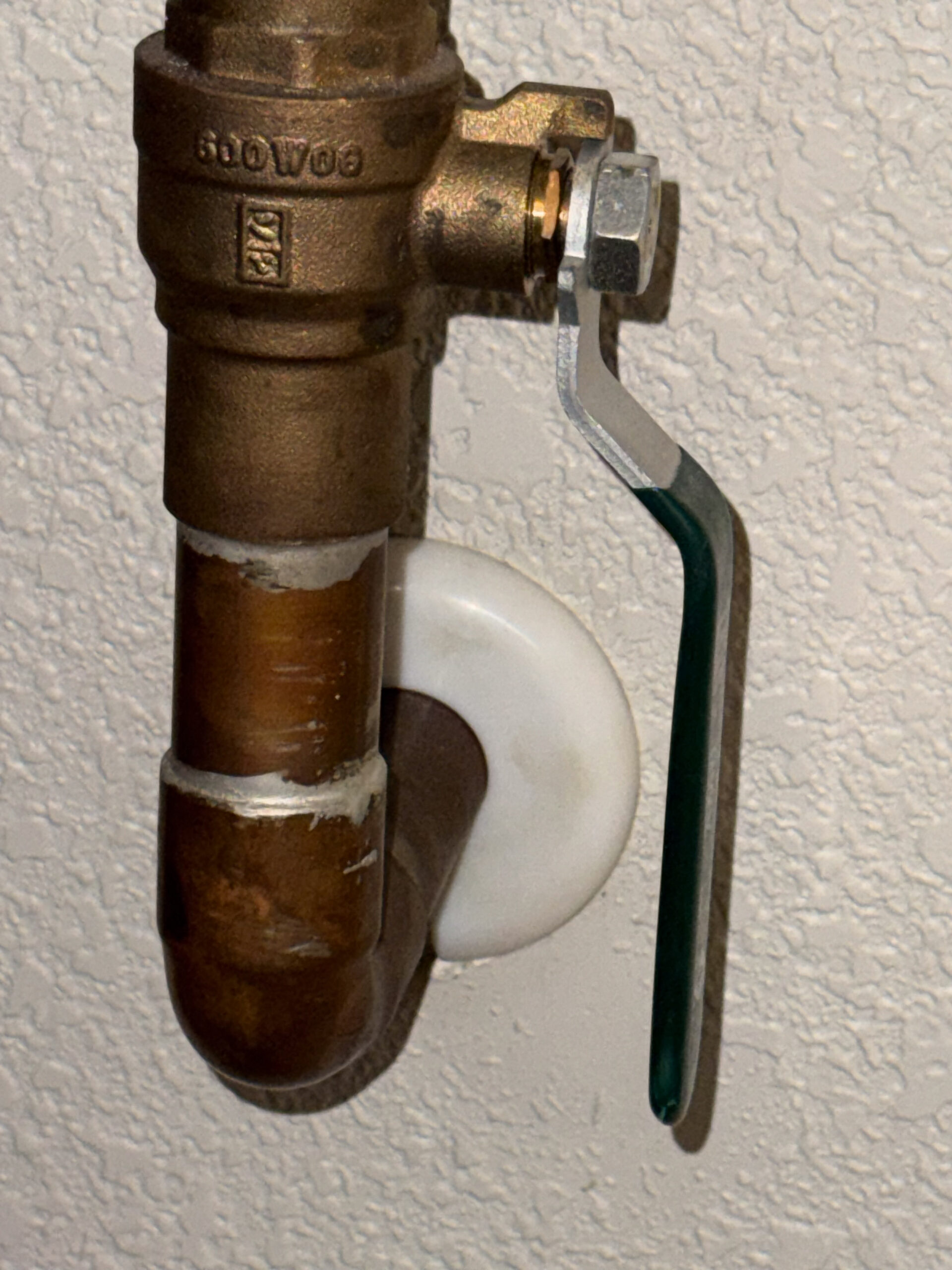
Retrofit actuators: These can avoid cutting the pipe when the existing installation is suitable. Compatibility remains important: Zooz specifies ball valves and minimum clearances for Titan. An actuator is not a substitute for assessing a deteriorated or unsuitable valve. (getzooz.com)

4. Check pipe compatibility, access and electrical needs
Before purchasing an in-line device, send the installer photographs showing the proposed location and surrounding plumbing. Ask them to confirm:
- Pipe material and nominal size.
- Device sizing and required adapters.
- Service clearances and environmental limits.
- Position relative to pressure regulation and treatment equipment.
- Special considerations for wells or shared supplies.
Manufacturer restrictions can be decisive. Moen’s January 2025 Flo installation guide prohibits galvanized piping upstream of the device and gives specific placement instructions for well systems. It also prohibits installation that interferes with fire sprinklers; integrated sprinkler systems without a separate branch are unsuitable under that guide. Have the plumber resolve these issues before ordering. (assets.moen.com)
Power and networking deserve their own check. Flo’s manual specifies continuous power and 2.4 GHz Wi-Fi. Its standard adapter reaches 10 feet; approved low-voltage extensions may change the available reach. Confirm the exact package contents rather than assuming an extension is included. (assets.moen.com)
Have a qualified electrician handle any new receptacle. Ask separately who handles network improvements, cable routing and wall restoration; do not leave these as unpriced assumptions.
5. Build a budget from verified equipment and installation scope
There is no single installed price that fits both a few floor sensors and a main-line valve. Use separate budget structures.
Example A: Three standalone sensors
First Alert’s product page displayed $59.99 for the L1 variant without a cable, with direct purchase marked unavailable when checked. Using that published price:
| Item | Calculation | Subtotal |
|---|---|---|
| Three no-cable detectors | 3 × $59.99 | $179.97 |
This is an equipment-only planning example, before tax, shipping or paid setup. It assumes you place and configure the sensors yourself and already have suitable connectivity. Verify the model, included accessories, stock and actual selling price before purchasing. No shutoff valve is included. (firstalert.com)
Example B: A professionally installed valve system
For a clearly located comparison, Dominick Plumbing’s August 9, 2026 guide publishes $650–$1,200 for an installed Moen Flo on a ¾-inch main in the Scottsdale, Arizona, area. It separately lists $250–$550 for main-shutoff replacement if needed. Adding those published ranges gives:
| Scope | Published-price calculation |
|---|---|
| Installed Flo system | $650–$1,200 |
| Existing main-shutoff replacement, if needed | + $250–$550 |
| Combined arithmetic range | $900–$1,750 |
That is one contractor’s regional pricing example—not a national average or a fixed package available everywhere. Do not assume it includes electrical work, extra sensors, permits, finish repairs or unusual access. (dominickplumbing.com)
For your own project, request a written total separating equipment, plumbing, electrical work, connectivity, access/restoration and recurring charges. The FTC recommends multiple written estimates describing the work, materials, completion date and price. (consumer.ftc.gov)
6. Compare subscriptions, outages and manual override separately
“Smart” does not tell you which functions depend on the internet. Nor does “no subscription” establish what happens during a power failure.
Moen’s current Flo FAQ says there is no monthly fee to operate the device or access its app features and usage data. That statement applies to that product; verify fees for any different device, hub or service being proposed. (flo.moen.com)
Ask for model-specific answers to this checklist:
| Situation | What to establish before buying |
|---|---|
| Internet unavailable | Which detection, closure and local-alarm functions remain? |
| Household power fails | Does the valve stay in its last position, and can it still move? |
| Hub unavailable | Do connected sensors still trigger closure? |
| Phone unavailable | Can another authorized person receive alerts or operate the valve? |
| Device needs service | How is water controlled while it is removed or repaired? |
For example, Zooz documents that Titan stays in its last position when power is lost. Its wired probe can operate without a hub while the actuator is powered; remote operation needs a hub. The manufacturer also describes removing the actuator to regain direct manual valve access. These are distinct capabilities, not one blanket “works offline” claim. (getzooz.com)
Before handover, request a demonstration of manual operation and reopening after an investigated alert. If insurance is your reason for buying, obtain written confirmation from your insurer about the acceptable model, installation evidence and any applicable policy terms. Do not build a discount into the budget unless it is confirmed.
7. Test the finished system and plan ongoing checks
Treat installation day as the start of operation, not the end of the project.
For a Flo installation, Moen recommends opening a faucet and checking that the app registers pressure, flow and temperature. Its FAQ also notes that some functionality is unavailable during learning mode. Ask the installer to explain when automatic functions become active and how you will verify their status. (moen.com)
Keep a maintenance checklist based on the exact manuals:
- Follow the specified battery and functional-test instructions.
- Keep detectors accessible and sensing surfaces unobstructed.
- Recheck placement after cleaning or moving stored items.
- Verify connectivity after router, password or account changes.
- Record manual-operation instructions where household members can find them.
- Arrange any required strainer or valve servicing.
First Alert documents a low-battery indication and permits local sensing and siren use without pairing. For a cable-equipped unit, its product guidance says to dry the cable completely before reuse after detection. Do not immerse the detector to test it. (customer.resideo.com)
Finally, check support status before buying discounted old stock. Resideo’s March 23, 2026 notice says certain legacy Honeywell detectors that were not registered or online by January 12, 2026 can no longer authenticate for new connected installation. It explicitly says the newer L1 series is unaffected. (honeywellhome.com)
The useful comparison is a complete response plan: detection, notification, closure, manual control and maintenance. Choose the installation whose coverage and ongoing responsibilities you understand—not simply the lowest-priced box.